
Finally Internet Explorer caught up with the rest of the browsers and introduced tabs. For some reason I don’t know, the tabs feature doesn’t work the way you would expect from your experience with Firefox, Opera etc.
All the other browsers with tabs open a new tab when you click a link like this with the target set to _blank:
<a href="example.com" target="_blank">example</a>
This is expected behaviour, but IE7 doesn’t open a new tab, it opens a brand new window just like IE6 instead. This is the default behaviour of IE7 and it might be this way because of backwards compatibility with slow IE6 users. Luckily, there is a way to change the behaviour.
Go to Tools - > Internet Options.
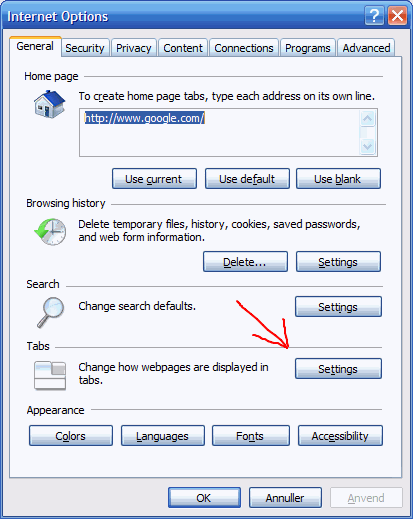
Press the Settings… button in the tab section.
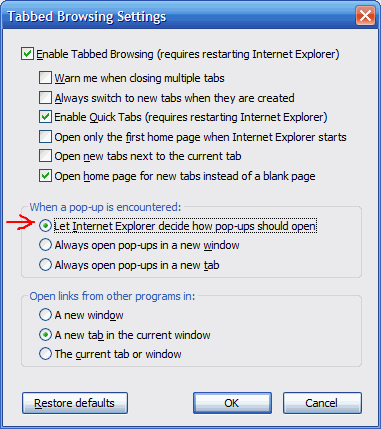
Select the Let Internet Explorer decide how pop-ups should open radio button and click OK.
Comments
What did you think?